Amazon Affiliate Disclosure
Schopping participates in the Amazon Associates Program and other affiliate partnerships. Some product links may earn us a commission at no additional cost to you. Our recommendations are based on practical usability, long-term value, reliability, and real-world creator workflows rather than promotional incentives.
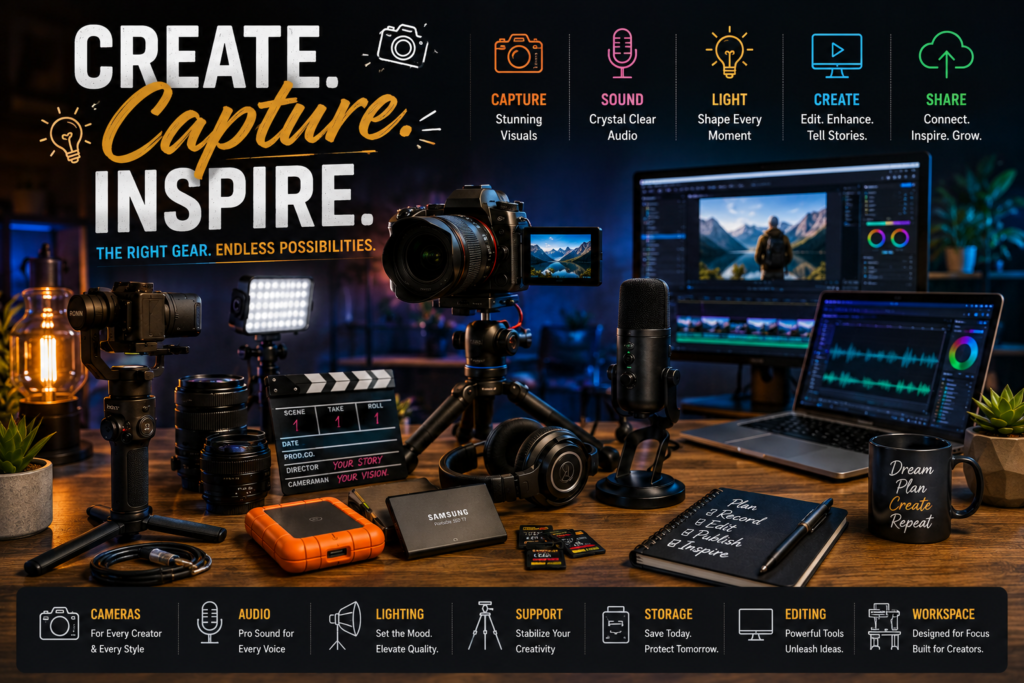
Modern content creation is no longer limited to professional studios with unlimited budgets. A single individual can now produce documentaries, podcasts, livestreams, online courses, cinematic travel videos, product reviews, educational content, and commercial advertisements using equipment that fits inside a backpack. The challenge has shifted from finding available technology to selecting the right technology.
That is exactly where this Creator Gear Guide becomes valuable.
Instead of recommending random products, this guide explains how every piece of creator equipment fits into an efficient production workflow. Whether someone is building a first YouTube setup, upgrading a podcast studio, improving livestream quality, or expanding into aerial photography, understanding how each component contributes to content quality prevents expensive purchasing mistakes.
Rather than focusing on isolated devices, this guide approaches creator gear as a complete production ecosystem where cameras, microphones, lighting, storage, computing power, editing software, and accessories work together.
Individuals looking for specialized recommendations can also explore our Creator Gear hub for in-depth equipment reviews, setup tutorials, and category-specific recommendations before returning here to build a complete workflow.
Quick Picks
Jump directly to the section you need.
- What Is a Creator Gear Guide?
- Who Needs a Creator Gear Guide?
- Benefits of Using a Structured Equipment Guide
- Understanding Creator Gear Categories
- Building Your Setup by Content Type
- Building Your Setup by Budget
- Camera Buying Framework
- Audio Equipment Framework
- Lighting Framework
- Streaming Equipment Guide
- Drone Equipment Guide
- Storage and Backup Strategy
- Editing Hardware Guide
- Workspace Optimization
- Common Mistakes
- Comparison Tables
- Upcoming Trends & Latest Technology
- Editorial Insights
- FAQs
- People Also Ask
What Is a Creator Gear Guide?
A creator gear guide is a structured reference that explains how to choose equipment for producing digital content efficiently, consistently, and economically. Instead of evaluating individual products in isolation, it examines how complete production systems work together.
Every successful creator setup consists of several interconnected layers.
| Equipment Layer | Purpose |
|---|---|
| Camera System | Captures video or photographs |
| Audio System | Records clear voice and environmental sound |
| Lighting | Improves image quality regardless of camera |
| Stabilization | Eliminates unwanted movement |
| Storage | Protects projects and source files |
| Computing | Enables editing and rendering |
| Accessories | Improve workflow efficiency |
Many new creators spend most of their budget on the camera while overlooking microphones, lighting, storage, and editing hardware. In practice, audiences are often more forgiving of average video quality than poor audio or inconsistent lighting.
A complete guide helps prioritize investments according to production impact rather than marketing claims.
Return to the Homepage to discover additional shopping guides, technology recommendations and expert buying resources.
Who Needs a Creator Gear Guide?
Professional creators are not the only people who benefit from understanding production equipment. Nearly every digital profession now relies on visual communication.
This guide is useful for:
YouTubers
Building reliable production workflows for tutorials, entertainment, education, documentaries, and product reviews.
Streamers
Selecting equipment capable of running long broadcasts while maintaining consistent video, audio, and internet performance.
Podcasters
Optimizing microphones, acoustic treatment, recording interfaces, and monitoring equipment.
Online Educators
Producing professional lectures, demonstrations, workshops, and online courses.
Business Owners
Creating product demonstrations, promotional videos, webinars, and customer education resources.
Social Media Creators
Producing vertical video optimized for TikTok, Instagram Reels, Facebook, Shorts, Pinterest, and emerging platforms.
Drone Pilots
Understanding camera systems, stabilization technology, flight accessories, and aerial production workflows.
Freelance Creators
Building scalable equipment ecosystems that support photography, videography, editing, and commercial client work.
Benefits of Using a Structured Equipment Guide
Equipment decisions become easier when every purchase supports a long-term production strategy rather than solving isolated problems.
Better Budget Allocation
Instead of investing 80% of the budget into one camera body, creators distribute investments across microphones, lighting, storage, editing hardware, and accessories, producing noticeably better overall content.
Faster Workflow
Compatible equipment reduces setup time before recording.
Benefits include:
- Faster file transfers
- Simplified cable management
- Consistent color profiles
- Reliable backups
- Streamlined editing
Higher Production Quality
Professional-looking content is usually the result of balanced systems rather than premium individual products.
A modest camera paired with excellent lighting and clear audio often outperforms an expensive camera operating in poor conditions.
Easier Future Upgrades
Choosing equipment within expandable ecosystems minimizes replacement costs.
Examples include:
| Component | Upgrade Path |
|---|---|
| Camera | Better lenses |
| Lighting | Additional light sources |
| Audio | Wireless microphones |
| Storage | Larger SSD arrays |
| Streaming | Multi-camera production |
Instead of replacing everything simultaneously, creators upgrade one component while maintaining compatibility across the rest of their workflow.
Reduced Long-Term Costs
Many creators replace equipment because their original purchases fail to meet future needs rather than because they stop functioning.
Planning ahead reduces unnecessary spending and extends equipment lifecycles.
Increased Content Consistency
Consistent gear produces consistent visual identity.
Audiences quickly recognize creators whose videos maintain stable exposure, balanced colors, clean sound, and predictable production quality across every upload.
Consistency builds trust, professionalism, and stronger brand recognition over time.
Understanding Creator Gear Categories
Creator equipment can be divided into several functional systems. Each category contributes differently to the overall production process, and understanding these roles helps prioritize upgrades based on actual needs rather than marketing trends.
| Category | Primary Purpose | Typical Priority |
|---|---|---|
| Cameras | Image capture | Very High |
| Microphones | Audio quality | Very High |
| Lighting | Image improvement | Very High |
| Lenses | Creative flexibility | High |
| Tripods & Mounts | Stability | High |
| Computers | Editing & rendering | High |
| Storage | File protection | High |
| Monitors | Color accuracy | Medium |
| Streaming Hardware | Live production | Medium |
| Accessories | Workflow efficiency | Medium |
Each category will be explored in depth in the following sections, beginning with one of the most important decisions every creator faces: selecting equipment based on the type of content they plan to produce.
Building Your Setup by Content Type
Choosing equipment based on the latest product launch rarely leads to the best results. The most efficient creator setups are built around the type of content being produced. A travel filmmaker, livestreamer, educator, and podcaster all face different technical challenges, even if they publish on the same platform.
Before purchasing any equipment, define your primary content format. This ensures every investment supports your production workflow instead of creating unnecessary complexity.
YouTube Creators
YouTube creators often require the most versatile setup because videos may include talking-head segments, B-roll, interviews, product demonstrations, tutorials, cinematic footage, and live streaming.
A balanced setup typically prioritizes:
| Equipment | Importance | Why It Matters |
|---|---|---|
| Mirrorless Camera | ★★★★★ | High-quality video with interchangeable lenses |
| External Microphone | ★★★★★ | Speech clarity has a major impact on audience retention |
| LED Lighting | ★★★★★ | Consistent exposure regardless of room lighting |
| Tripod | ★★★★☆ | Stable framing for tutorials and reviews |
| Editing Computer | ★★★★★ | Faster editing and exports |
| SSD Storage | ★★★★☆ | Large video files require reliable storage |
Instead of maximizing camera specifications alone, successful YouTube creators typically invest evenly across audio, lighting, stabilization, and editing hardware.
Short-Form Video Creators
Platforms emphasizing vertical content demand speed more than cinematic complexity. Recording, editing, and publishing often happen within hours.
Priority equipment includes:
- Smartphone or compact mirrorless camera
- Lightweight tripod
- Portable LED light
- Wireless microphone
- Fast editing device
- Mobile SSD
The objective is creating an efficient production cycle rather than building an oversized studio.
Podcast Creators
Podcast production depends far more on sound quality than camera specifications.
Core priorities include:
| Equipment | Priority |
|---|---|
| Dynamic microphone | Extremely High |
| Audio interface | High |
| Closed-back headphones | High |
| Acoustic treatment | High |
| Recording software | High |
| Backup recorder | Medium |
Many successful podcasts record with modest cameras while investing significantly in microphones and room acoustics.
Livestream Creators
Streaming introduces additional technical demands because there is no opportunity to correct mistakes after recording.
An optimized livestream setup focuses on:
- Stable internet connection
- Continuous power supply
- Reliable autofocus
- Capture card
- Streaming software
- Backup audio
- Cooling for cameras and computers
Unlike traditional video production, reliability often outweighs image quality.
Online Educators
Educational creators prioritize clarity over cinematic effects.
Recommended investments include:
- Sharp webcam or mirrorless camera
- Lavalier microphone
- Soft lighting
- Graphics tablet (when needed)
- Dual monitors
- Screen recording software
The goal is making lessons easy to understand rather than visually dramatic.
Travel Creators
Portability becomes the deciding factor.
Ideal travel kits emphasize:
| Feature | Importance |
|---|---|
| Lightweight camera | ★★★★★ |
| Compact lenses | ★★★★★ |
| Foldable tripod | ★★★★☆ |
| Extra batteries | ★★★★★ |
| Portable SSD | ★★★★★ |
| Weather resistance | ★★★★☆ |
Every kilogram saved improves mobility during long trips.
Product Review Creators
Product reviewers require equipment capable of capturing fine details.
Essential gear includes:
- Macro-capable lens
- High CRI lighting
- Overhead camera mount
- Turntable
- Large recording table
- Color-accurate monitor
Small improvements in lighting often produce more noticeable gains than upgrading the camera body.
Building Your Setup by Budget
One of the biggest misconceptions in content creation is that professional results require professional-level spending. In reality, balanced equipment choices consistently outperform expensive but incomplete setups.
The following framework helps allocate resources efficiently.
Entry-Level Setup
Designed for individuals publishing consistently while minimizing initial investment.
| Category | Recommendation |
|---|---|
| Camera | Smartphone or entry mirrorless |
| Audio | USB microphone |
| Lighting | Single LED panel |
| Editing | Mid-range laptop |
| Storage | External SSD |
| Accessories | Tripod and basic mounts |
Primary goal:
Learn production fundamentals before purchasing advanced equipment.
Mid-Range Setup
Suitable for creators earning regular income from content.
Typical upgrades include:
- Better lenses
- Wireless microphones
- Multiple lights
- Faster editing computer
- Larger SSD library
- Color-accurate monitor
Advantages include:
- Faster workflows
- Improved reliability
- Better image quality
- Higher production consistency
Professional Setup
Professional environments prioritize efficiency, redundancy, and scalability.
Typical equipment includes:
| Component | Professional Upgrade |
|---|---|
| Cameras | Multi-camera system |
| Audio | XLR microphones |
| Lighting | Full studio lighting |
| Editing | High-performance workstation |
| Storage | NAS + RAID backup |
| Monitoring | Professional color display |
| Networking | High-speed local storage |
Professional setups are designed to reduce downtime rather than simply improve image quality.
Budget Allocation Framework
Rather than assigning most of the budget to a single product, distribute investments according to production impact.
| Category | Suggested Budget Allocation |
|---|---|
| Camera | 25% |
| Audio | 20% |
| Lighting | 15% |
| Computer | 20% |
| Storage | 10% |
| Accessories | 10% |
This balanced approach typically delivers a greater improvement in overall production quality than spending heavily on one flagship camera while compromising on audio or lighting.
Essential Creator Gear Checklist
Before investing in specialized accessories, ensure your setup covers the fundamental building blocks of content production.
Recording Essentials
These items form the core of almost every creator workflow:
| Equipment | Required | Purpose |
|---|---|---|
| Camera or smartphone | ✔ | Capture video or photos |
| Microphone | ✔ | Record clear speech |
| Lighting | ✔ | Consistent exposure |
| Tripod | ✔ | Stable framing |
| Memory cards | ✔ | Reliable recording |
| Spare batteries | ✔ | Extended sessions |
Editing Essentials
Once recording is complete, post-production becomes the next critical stage.
Recommended tools include:
- Fast computer or laptop
- External SSD
- Backup storage
- Color-accurate monitor
- Comfortable keyboard and mouse
- Headphones for audio editing
A responsive editing environment reduces waiting time and keeps creative momentum intact.
Workflow Accessories
Small accessories often provide the greatest improvements in daily productivity.
Consider adding:
- Cable organizers
- Camera cleaning kit
- Lens cloths
- Multi-port USB hub
- Battery organizer
- Memory card case
- Surge protector
- Adjustable desk arm
- Portable power bank
- Equipment backpack
These inexpensive additions help prevent interruptions, protect valuable equipment, and make recording sessions more efficient.
Equipment Upgrade Roadmap
Creators rarely purchase every tool at once. A staged upgrade plan keeps spending under control while ensuring each addition delivers meaningful value.
| Stage | Primary Upgrade | Why It Comes First |
|---|---|---|
| Stage 1 | Microphone | Improves audience experience immediately |
| Stage 2 | Lighting | Enhances perceived video quality |
| Stage 3 | Camera | Expands creative flexibility |
| Stage 4 | Lens | Improves sharpness and depth of field |
| Stage 5 | Editing Hardware | Speeds up post-production |
| Stage 6 | Storage & Backup | Protects growing content library |
| Stage 7 | Specialized Accessories | Supports niche production needs |
Following a deliberate roadmap avoids duplicate purchases and creates a system that can evolve alongside your skills and content goals.
Camera Buying Framework
A camera is often the centerpiece of a creator’s setup, but it should never be selected based solely on resolution or marketing headlines. The best camera is the one that consistently produces the quality you need while fitting seamlessly into your workflow, budget, and long-term upgrade path.
Many creators purchase a flagship camera only to discover that they cannot afford quality lenses, sufficient lighting, or a computer capable of editing large video files. A balanced ecosystem nearly always delivers better results than an expensive camera paired with compromises elsewhere.
Start With Your Content Goals
Before comparing specifications, identify what you create most often.
| Content Type | Camera Priorities |
|---|---|
| YouTube videos | Reliable autofocus, interchangeable lenses, long recording times |
| Podcasts | Clean HDMI output, dependable autofocus, unlimited recording |
| Live streaming | Continuous power, webcam compatibility, overheating resistance |
| Product reviews | Excellent close-focus capability, accurate colors |
| Travel videos | Lightweight body, image stabilization, weather resistance |
| Sports & action | Fast autofocus, high frame rates, durable build |
| Educational content | Simple operation, sharp image, dependable exposure |
When your content goals are clear, many unnecessary features can be ignored, making the purchasing decision much simpler.
Understanding Camera Sensor Sizes
Sensor size influences image quality, low-light performance, depth of field, lens availability, and overall camera size.
Full Frame
Advantages:
- Outstanding low-light performance
- Greater dynamic range
- Shallower background blur
- Excellent professional lens ecosystem
Limitations:
- Higher cost
- Larger lenses
- Increased weight
Best suited for:
- Commercial work
- Professional YouTube production
- Documentary filmmaking
- High-end interviews
APS-C
APS-C has become one of the most practical choices for independent creators.
Advantages include:
- Excellent image quality
- More affordable lenses
- Compact camera bodies
- Strong autofocus systems
- Lower total system cost
Ideal for:
- YouTube
- Tutorials
- Reviews
- Travel
- Education
For many creators, APS-C represents the best balance between quality, portability, and affordability.
Micro Four Thirds
These cameras prioritize portability and stabilization.
Strengths include:
- Compact lenses
- Lightweight systems
- Excellent in-body stabilization
- Long recording times
Ideal applications:
- Travel
- Documentary
- Vlogging
- Event coverage
Smartphone Cameras
Modern smartphones continue narrowing the gap for certain content formats.
Best used for:
- Shorts
- Reels
- TikTok
- Behind-the-scenes footage
- Social media updates
With proper lighting and audio, smartphone footage can be surprisingly competitive for online platforms.
Camera Feature Priority Matrix
Not every specification carries equal importance.
| Feature | Priority | Why It Matters |
|---|---|---|
| Autofocus | ★★★★★ | Keeps subjects consistently sharp |
| Lens ecosystem | ★★★★★ | Determines future flexibility |
| Battery life | ★★★★☆ | Longer recording sessions |
| Stabilization | ★★★★☆ | Smoother handheld footage |
| Dynamic range | ★★★★☆ | Better highlight and shadow detail |
| Recording formats | ★★★★☆ | Greater editing flexibility |
| Weather sealing | ★★★☆☆ | Outdoor durability |
| Burst shooting | ★★☆☆☆ | Mostly useful for photography |
Rather than comparing cameras by headline specifications, compare how these features support your specific production workflow.
Choosing the Right Lens
Many experienced creators would rather upgrade a lens than replace an entire camera body.
Lenses influence:
- Sharpness
- Background separation
- Low-light capability
- Compression
- Color rendering
- Creative flexibility
Prime Lenses
Advantages:
- Extremely sharp
- Wide apertures
- Excellent low-light performance
- Lightweight
Best for:
- Talking-head videos
- Interviews
- Portraits
- Podcasts
Zoom Lenses
Advantages:
- Greater flexibility
- Faster framing adjustments
- Fewer lens changes
Ideal for:
- Travel
- Events
- Documentary production
- Product reviews
Wide-Angle Lenses
Useful for:
- Vlogging
- Small studios
- Architecture
- Real estate
- Landscape content
Macro Lenses
Designed for:
- Product photography
- Technology reviews
- Jewelry
- Electronics
- Detailed demonstrations
Small product creators often benefit more from a dedicated macro lens than from upgrading to a more expensive camera body.
Camera Resolution: How Much Do You Really Need?
Higher resolution is not always better.
| Resolution | Best Use |
|---|---|
| 1080p | Streaming, webinars, online courses |
| 4K | YouTube, commercial work, future-proofing |
| 6K | Heavy cropping, advanced editing |
| 8K | Specialized production workflows |
For most creators, high-quality 4K recording offers the best balance between image quality, storage requirements, and editing performance.
Autofocus Technologies
Modern autofocus systems dramatically reduce production errors.
Important capabilities include:
- Face detection
- Eye tracking
- Subject tracking
- Animal detection
- Vehicle recognition
- Continuous autofocus
Reliable autofocus allows creators to work independently without constantly checking focus during recording.
Audio Equipment Framework
While audiences often tolerate average video quality, poor sound quickly reduces engagement. Clear dialogue improves comprehension, professionalism, and overall viewing experience, making audio one of the highest-value investments in any creator setup.
Why Audio Matters More Than Many Expect
Viewers are more likely to stop watching because they struggle to hear the speaker than because the image lacks cinematic quality. Background noise, echo, clipping, or inconsistent volume can distract from even the best visual presentation.
Good audio creates confidence, keeps attention on the message, and minimizes listener fatigue.
Types of Microphones
Different microphones solve different recording challenges.
| Microphone Type | Best For | Key Advantage |
|---|---|---|
| Dynamic | Podcasts, streaming | Rejects background noise |
| Condenser | Voiceovers, studio work | High detail and sensitivity |
| Lavalier | Presentations, tutorials | Hands-free recording |
| Shotgun | Interviews, filmmaking | Focused directional pickup |
| USB | Beginners | Simple plug-and-play setup |
| XLR | Professional studios | Greater flexibility and quality |
Selecting the correct microphone type usually has a greater impact than purchasing a more expensive model from the wrong category.
USB vs XLR Microphones
USB Microphones
Advantages:
- Easy setup
- Lower cost
- No additional interface required
- Excellent for beginners
Best for:
- Podcasts
- Meetings
- Solo streaming
- Voiceovers
XLR Microphones
Advantages:
- Professional audio quality
- Better upgrade potential
- Advanced signal control
- Multiple microphone support
Best for:
- Multi-person podcasts
- Commercial production
- Long-term studio setups
Audio Accessories Worth Investing In
Many inexpensive accessories significantly improve recording quality.
Recommended additions include:
- Pop filter
- Shock mount
- Boom arm
- Closed-back monitoring headphones
- Acoustic panels
- Reflection filters
- Wind protection
- Portable recorder
- Backup microphone
These accessories help eliminate common issues such as plosives, vibrations, room echo, and environmental noise.
Audio Recording Checklist
Before pressing record, confirm the following:
| Check | Status |
|---|---|
| Microphone connected | ✔ |
| Input levels adjusted | ✔ |
| Monitoring headphones active | ✔ |
| Background noise minimized | ✔ |
| Batteries charged | ✔ |
| Backup recording available | ✔ |
Consistently following a checklist reduces avoidable recording problems and saves significant editing time.
Lighting Framework
Lighting is the hidden force behind every high-quality video. In most cases, what looks like “expensive camera footage” is actually well-lit footage captured on mid-range equipment. Light defines depth, skin tone accuracy, mood, and separation between subject and background.
A structured lighting setup is often the fastest way to upgrade production quality without replacing any camera gear.
Why Lighting Outperforms Camera Upgrades
A strong camera in poor lighting produces:
- Grainy shadows
- Flat facial detail
- Unstable autofocus behavior
- Washed or uneven color
A modest camera in controlled lighting produces:
- Clean image texture
- Natural skin tones
- Cinematic depth separation
- Stable exposure across frames
This is why lighting is often treated as the “invisible upgrade layer” in creator production systems.
Core Types of Lighting
| Lighting Type | Function | Use Case |
|---|---|---|
| Key Light | Primary illumination | Main subject lighting |
| Fill Light | Reduces shadows | Balancing contrast |
| Back Light | Separates subject | Depth creation |
| Ambient Light | Sets mood | Background tone |
| Practical Light | Visible scene lighting | Lamps, LEDs in frame |
Most creator setups begin with a simple 2-light or 3-light configuration and expand over time.
The Standard Three-Point Lighting Setup
The most widely used framework in video production.
1. Key Light
- Positioned at 45° angle from subject
- Slightly above eye level
- Provides primary illumination
This light defines shape and texture.
2. Fill Light
- Placed opposite key light
- Lower intensity
- Softens shadows
Without fill light, faces can appear too harsh or contrast-heavy.
3. Back Light
- Placed behind subject
- Aimed at shoulders or hairline
- Creates separation from background
This prevents the subject from blending into the environment.
Lighting Quality Factors
Not all lights behave the same way. The following characteristics determine output quality.
Color Temperature (Kelvin Scale)
| Temperature | Appearance | Best Use |
|---|---|---|
| 2700K–3200K | Warm orange | Cinematic mood |
| 4000K–4500K | Neutral white | Indoor balanced lighting |
| 5000K–5600K | Daylight white | Standard creator lighting |
| 6000K+ | Cool blue | Stylized or tech content |
Consistency across all lights is more important than absolute brightness.
Color Accuracy (CRI/TLCI)
High-quality lights reproduce colors more naturally.
| Rating | Quality |
|---|---|
| 70–80 | Acceptable |
| 80–90 | Good |
| 90–100 | Professional |
Low CRI lighting can distort skin tones and reduce perceived production quality even with an expensive camera.
Hard vs Soft Light
| Type | Effect | Best Use |
|---|---|---|
| Hard Light | Sharp shadows | Dramatic scenes |
| Soft Light | Smooth shadows | Interviews, YouTube |
Soft lighting is generally preferred for most creator environments.
Lighting Equipment Types
LED Panels
- Flat, directional light
- Adjustable brightness
- Budget-friendly
Best for beginners and compact setups.
Softboxes
- Diffused light output
- Large, soft coverage
- Studio-standard quality
Ideal for talking-head videos and tutorials.
Ring Lights
- Circular even lighting
- Reduces facial shadows
- Simple setup
Common for beauty, lifestyle, and social media content.
Tube Lights (RGB/Wand Lights)
- Flexible positioning
- Creative background lighting
- Color effects possible
Used for stylized or cinematic setups.
Lighting Placement Strategies
A strong setup depends more on positioning than equipment cost.
Small Room Setup
- One softbox as key light
- Reflector or wall bounce as fill
- LED strip for background separation
Desk Setup
- Key light at 45° angle
- Small fill light or monitor glow
- Background light behind subject
Studio Setup
- Three-point lighting system
- Separate background lighting layer
- Controlled reflections and diffusion
Common Lighting Mistakes
Many creators struggle not because of equipment limitations but due to setup errors.
Overexposure of Face
Too much direct light flattens facial features and removes depth.
Mixed Color Temperatures
Combining warm and cool lights creates unnatural skin tones.
Light Too Close to Camera Axis
Creates flat “passport photo” look without depth.
Ignoring Background Lighting
A subject may look good, but a dark or cluttered background reduces perceived quality.
Lighting Upgrade Path
| Stage | Upgrade Focus | Result |
|---|---|---|
| Stage 1 | Single LED panel | Basic visibility |
| Stage 2 | Softbox addition | Improved softness |
| Stage 3 | Fill light | Balanced exposure |
| Stage 4 | Back light | Depth creation |
| Stage 5 | RGB background lighting | Cinematic atmosphere |
Most creators see a visible jump in quality between Stage 1 and Stage 2 alone.
Streaming Equipment Guide
Streaming requires a different approach than recorded content because everything happens live. There is no opportunity to fix mistakes in editing, which makes reliability and stability the primary priorities.
Core Streaming Requirements
A functional streaming setup must handle:
- Real-time video capture
- Continuous audio input
- Stable internet transmission
- System performance under load
- Platform encoding (YouTube, Twitch, etc.)
If any one of these fails, the entire stream is affected.
Essential Streaming Hardware
Capture Device
Used when connecting external cameras.
- Converts HDMI to digital stream
- Enables high-quality video input
- Reduces compression artifacts
Webcam or Camera
| Option | Strength |
|---|---|
| Webcam | Simple, plug-and-play |
| Mirrorless camera | High-quality image |
| Smartphone | Flexible and portable |
Microphone Setup
Streaming audio must remain consistent for long durations.
Recommended options:
- Dynamic microphone for noise rejection
- Boom arm for positioning
- Audio interface for XLR systems
- USB mic for simple setups
Lighting for Streaming
Streaming lighting must remain stable for hours without overheating or flickering.
Preferred options:
- Soft LED panels
- Ring lights (for beginners)
- Continuous light sources (non-flashing)
Streaming Software Stack
Core functions include:
- Scene switching
- Audio mixing
- Overlay management
- Platform connection
Popular workflows typically combine scene-based layouts with real-time switching.
Internet Stability Framework
Streaming quality depends heavily on network consistency.
| Factor | Requirement |
|---|---|
| Upload speed | Minimum stable bandwidth |
| Latency | Low and consistent |
| Connection type | Wired preferred |
| Backup | Mobile hotspot optional |
A wired Ethernet connection is significantly more reliable than Wi-Fi for long broadcasts.
Streaming Setup Types
Beginner Setup
- Webcam
- USB microphone
- Ring light
- Single monitor
Simple, fast, and reliable.
Intermediate Setup
- Mirrorless camera
- Dynamic XLR microphone
- Dual lighting system
- Capture card
- Dual monitors
Balanced quality and control.
Advanced Studio Setup
- Multi-camera switching
- Professional audio mixer
- Full lighting grid
- Dedicated streaming PC
- Backup recording system
Designed for professional broadcast consistency.
Streaming Common Issues
- Audio delay or sync drift
- Overheating cameras
- Dropped frames due to weak GPU
- Internet instability
- Background noise leakage
Most issues are solved through redundancy and testing rather than expensive upgrades.
Drone Equipment Guide
Drone systems have become a powerful extension of creator workflows, especially for travel, real estate, cinematic storytelling, and outdoor production. Unlike ground-based cameras, drones introduce aerial perspective, motion dynamics, and spatial storytelling that cannot be replicated otherwise.
Why Drones Matter in Content Creation
Aerial footage provides:
- Geographic scale
- Cinematic movement
- Environmental context
- Smooth tracking shots
- High production value perception
Even short aerial clips significantly elevate content quality.
Core Drone Components
| Component | Function |
|---|---|
| Flight Controller | Navigation system |
| Camera System | Aerial imaging |
| Gimbal | Stabilization |
| Battery | Flight duration |
| Remote Controller | Manual control |
| Software | Flight planning |
Drone Camera Systems
Modern drones integrate highly optimized imaging systems.
Key factors include:
- Sensor size (affects low-light quality)
- Lens field of view
- Bitrate recording capability
- Color profile support
- Dynamic range
Higher-end drones now compete with traditional mirrorless cameras in certain lighting conditions.
Stabilization Technology
The gimbal is the core reason drone footage appears smooth.
How It Works
- Uses motors to counteract movement
- Adjusts in real time across 3 axes
- Keeps camera horizon stable
Without a gimbal, footage would appear unstable even in light wind.
Flight Performance Factors
| Factor | Impact |
|---|---|
| Wind resistance | Stability of footage |
| Battery life | Total shooting time |
| GPS accuracy | Position holding |
| Obstacle detection | Safety during flight |
Drone Use Cases
Travel Content
Captures landscapes, coastlines, and city movement patterns.
Real Estate
Provides property context and spatial overview.
Cinematic Filmmaking
Used for establishing shots and motion transitions.
Outdoor Adventure
Enhances hiking, cycling, and exploration videos.
Drone Safety and Compliance Considerations
Responsible operation requires awareness of:
- No-fly zones
- Altitude restrictions
- Airspace permissions
- Privacy regulations
- Weather conditions
Understanding these factors ensures safe and uninterrupted production workflows.
Drone Workflow Integration
Aerial footage must be integrated into a broader production system.
Typical workflow:
- Capture aerial shots
- Transfer files to SSD
- Sync with ground footage
- Color grade for consistency
- Edit into timeline structure
Drones are most effective when they complement, not replace, traditional camera footage.
Storage and Backup Strategy
Content creation produces one of the fastest-growing personal data footprints. Raw footage, project files, audio recordings, graphics, exports, and revisions accumulate quickly, and without a structured storage system, even a small channel can lose files, slow down workflows, or face permanent data loss.
A strong storage system is not about having more space. It is about ensuring speed, redundancy, and recoverability at every stage of production.
Why Storage Becomes a Bottleneck
Creators often underestimate storage until one of three problems appears:
- Editing software starts lagging
- Drives become full during active projects
- Files disappear due to accidental deletion or corruption
At scale, storage is not just convenience. It becomes operational stability.
The Three-Layer Storage System
A reliable creator workflow typically uses three layers:
| Layer | Purpose | Example |
|---|---|---|
| Primary Storage | Active editing | Internal SSD |
| Working Storage | Project files | External SSD |
| Backup Storage | Safety archive | HDD / NAS |
Each layer serves a different function and prevents single points of failure.
SSD vs HDD: Practical Differences
SSD (Solid State Drive)
Strengths:
- Extremely fast read/write speeds
- Ideal for video editing
- Portable and durable
- No moving parts
Best use cases:
- Active projects
- 4K/6K editing
- Software libraries
- Cache files
HDD (Hard Disk Drive)
Strengths:
- Lower cost per gigabyte
- Large storage capacity
- Suitable for archiving
Limitations:
- Slower performance
- Sensitive to movement
- Not ideal for real-time editing
Best use cases:
- Backup storage
- Completed projects
- Long-term archives
NAS Systems for Creators
A NAS (Network Attached Storage) system functions as a private cloud for creators.
Key advantages:
- Centralized file access
- Multi-device synchronization
- Automated backups
- RAID redundancy protection
Ideal for:
- Multi-camera production teams
- High-volume creators
- Long-term content libraries
Backup Strategy Framework
A structured backup system prevents data loss from hardware failure, accidental deletion, or corruption.
3-2-1 Rule
| Rule | Description |
|---|---|
| 3 copies | Keep three versions of data |
| 2 storage types | Use different storage mediums |
| 1 offsite copy | Store backup away from main device |
This structure remains one of the most reliable data protection frameworks used across creative industries.
File Organization System
Without organization, even large storage systems become inefficient.
Recommended structure:
/Creator Projects
   /Year
      /Platform
         /Project Name
            /Footage
            /Audio
            /Graphics
            /Exports
            /Final Cut
Benefits:
- Faster file retrieval
- Reduced editing confusion
- Easier collaboration
- Cleaner backup workflows
Editing Hardware Guide
Editing hardware determines how fast ideas become finished content. Even a powerful camera system becomes limiting if the editing machine cannot handle large video files smoothly.
What Editing Hardware Actually Does
It processes:
- Video decoding and playback
- Color grading operations
- Effects rendering
- Audio synchronization
- Export compression
A weak system creates delays that interrupt creative flow.
Core Editing Components
| Component | Role |
|---|---|
| CPU | Overall processing |
| GPU | Video rendering & effects |
| RAM | Multitasking capability |
| Storage | File access speed |
| Display | Color accuracy |
CPU Requirements
The processor determines how quickly timelines respond during editing.
| Level | Use Case |
|---|---|
| Entry | 1080p editing |
| Mid-range | 4K editing |
| High-end | 6K–8K production |
Multi-core processors significantly improve export times and real-time playback stability.
GPU Importance
Modern editing software relies heavily on GPU acceleration.
Benefits include:
- Faster rendering
- Smooth playback
- Efficient effects processing
- Improved color grading performance
GPU strength becomes more important when working with:
- 4K+ footage
- Heavy transitions
- Motion graphics
- AI-assisted editing tools
RAM Requirements
| RAM Size | Capability |
|---|---|
| 16GB | Basic editing |
| 32GB | Professional 4K workflows |
| 64GB+ | Heavy production & multitasking |
Insufficient RAM causes lag, crashes, and timeline freezing.
Display Accuracy
A creator’s monitor determines how accurately colors are judged.
Important factors:
- Color gamut coverage (sRGB, DCI-P3)
- Brightness consistency
- Calibration capability
- Resolution clarity
Without accurate monitoring, exported content may appear different across devices.
Editing Workflow Optimization
Efficient workflows reduce editing time significantly.
Key practices:
- Proxy editing for large files
- Pre-organized folder structures
- Keyboard shortcuts
- Timeline templates
- Consistent color presets
Small optimizations compound into major time savings over repeated projects.
Workspace Optimization
A well-designed workspace improves consistency, focus, and production efficiency. It also reduces fatigue during long recording or editing sessions.
Core Workspace Principles
A productive creator workspace is built around:
- Ergonomics
- Lighting control
- Cable management
- Equipment accessibility
- Noise control
Each element directly affects output quality.
Desk Layout Structure
Recommended setup layout:
| Zone | Function |
|---|---|
| Recording Zone | Camera, microphone, lighting |
| Editing Zone | Computer, monitor, input devices |
| Storage Zone | SSDs, drives, backup systems |
| Utility Zone | Accessories, chargers, tools |
Separating zones reduces clutter and improves workflow clarity.
Ergonomics for Long Sessions
Creators often spend hours editing or recording, making ergonomics essential.
Key considerations:
- Eye level monitor positioning
- Chair lumbar support
- Wrist alignment
- Proper lighting angle
- Regular posture variation
Poor ergonomics can reduce both productivity and consistency over time.
Cable Management System
Messy cables often cause:
- Equipment confusion
- Accidental disconnections
- Reduced workspace efficiency
Recommended solutions:
- Cable trays under desk
- Velcro straps
- Labelled cables
- Power hubs with surge protection
A clean workspace also improves camera framing for behind-the-scenes content.
Acoustic Control
Even non-podcast setups benefit from basic sound control.
Simple improvements:
- Curtains instead of bare walls
- Rugs to reduce reflection
- Foam panels near recording area
- Bookshelves for diffusion
These changes reduce echo without requiring full studio treatment.
Common Creator Mistakes
Many workflow issues come not from lack of equipment but from avoidable setup decisions.
Overinvesting in One Category
Spending heavily on a camera while neglecting audio or lighting results in unbalanced production quality.
Ignoring Backup Systems
Single-drive workflows are vulnerable to permanent data loss.
Poor File Organization
Random file storage leads to lost assets and wasted editing time.
Overcomplicated Setups
Too many devices can slow down workflow instead of improving it.
Inconsistent Lighting
Changing lighting conditions across videos reduces visual identity consistency.
Comparison Tables
Camera vs Lighting Impact
| Factor | Camera Upgrade | Lighting Upgrade |
|---|---|---|
| Visual improvement | Moderate | High |
| Cost efficiency | Medium | High |
| Skill dependency | Low | Medium |
| Workflow impact | Medium | High |
SSD vs HDD in Creator Workflow
| Feature | SSD | HDD |
|---|---|---|
| Speed | Very high | Low |
| Durability | High | Medium |
| Cost per GB | Higher | Lower |
| Editing suitability | Excellent | Poor |
Beginner vs Advanced Setup
| Area | Beginner | Advanced |
|---|---|---|
| Camera | Single device | Multi-camera system |
| Audio | USB mic | XLR setup |
| Lighting | One light | Full lighting grid |
| Storage | External SSD | NAS + RAID |
| Editing | Laptop | Workstation |
Upcoming Trends and Latest Technology
Creator equipment continues evolving rapidly, especially in automation, portability, and AI integration.
AI-Assisted Editing Systems
Modern software increasingly automates:
- Scene detection
- Auto-cut editing
- Color correction
- Audio leveling
- Subtitle generation
This reduces post-production time significantly.
Computational Imaging
Cameras now rely on software enhancement to improve:
- Low-light performance
- Dynamic range
- Motion stabilization
- Background blur simulation
Image quality is increasingly defined by processing power rather than optics alone.
Wireless Production Ecosystems
Future setups are moving toward:
- Wireless microphones
- Wireless camera transmission
- Cloud-based editing
- Remote collaboration
Cable dependency is steadily decreasing.
Compact All-in-One Creator Kits
New devices combine:
- Camera
- Lighting
- Audio
- Streaming tools
into single portable systems designed for mobile creators.
8K and Beyond
While still niche, higher resolution formats enable:
- Cropping flexibility
- Multi-format exports
- Virtual production workflows
However, storage and computing demands remain significant.
Edge AI and Real-Time Processing
Future creator systems will likely include:
- Real-time background replacement without green screens
- Live color grading
- Intelligent autofocus prediction
- Adaptive lighting suggestions
Editorial Insight
Creator gear is shifting from isolated hardware toward interconnected ecosystems. The most successful setups are no longer defined by the most expensive camera or microphone, but by how well each component communicates within the production workflow.
The next evolution of content creation will favor creators who prioritize:
- System design over individual products
- Workflow efficiency over specification chasing
- Consistency over occasional high production spikes
FAQs (Frequently Asked Questions)
What is included in a complete creator gear setup?
A complete creator setup is not defined by a single device but by a working system that covers capture, sound, lighting, processing, and storage.
At minimum, it includes:
- A camera or smartphone for video capture
- A dedicated microphone for clear audio
- A controlled lighting source for consistent visuals
- A tripod or mount for stability
- A computer or mobile device for editing
- Storage for active and backup files
A more advanced setup expands into multiple cameras, XLR audio systems, layered lighting, and structured backup storage such as NAS systems. The key idea is that every component supports a production workflow rather than functioning in isolation.
What gear do content creators need to start?
Starting equipment should prioritize clarity and consistency over technical complexity.
A practical starting setup includes:
- Entry-level mirrorless camera or smartphone with good video capability
- USB microphone with noise reduction
- One soft LED light or ring light
- Basic tripod for stable framing
- External SSD for file storage
The goal at the beginning is not cinematic perfection but repeatable output. Many creators over-invest in cameras early and delay improvements in audio and lighting, even though those have a greater impact on audience retention.
Is camera quality or lighting more important for creator content?
Lighting generally has a stronger influence on perceived quality than camera specifications.
A mid-range camera in controlled lighting often produces more professional results than an expensive camera in poor lighting conditions.
Lighting affects:
- Skin tone accuracy
- Depth perception
- Shadow control
- Visual consistency across scenes
Camera quality becomes more important only after lighting and audio are already well optimized.
How much should be spent on creator equipment?
There is no fixed number, but balanced allocation produces better results than concentrating budget on one category.
A sustainable distribution model:
- Camera: 20–30%
- Audio: 15–25%
- Lighting: 15–20%
- Editing hardware: 20–25%
- Storage and accessories: 10–15%
This structure ensures no critical part of the production system becomes a bottleneck.
What is the best creator gear setup for YouTube videos?
A strong YouTube setup focuses on consistency and ease of production rather than maximum technical complexity.
Recommended configuration:
- Mirrorless camera with reliable autofocus
- Prime lens for sharp subject focus
- Two-light softbox setup
- Dynamic or condenser microphone depending on room acoustics
- Editing computer with at least 16–32GB RAM
- SSD storage for active projects
This combination supports talking-head videos, tutorials, product reviews, and educational content without requiring a studio environment.
People Also Ask (PAA)
What is the most important equipment for content creators?
The most important equipment depends on the stage of production, but audio often ranks highest in importance.
If viewers cannot hear clearly, they disengage faster than if the video is slightly less sharp. After audio, lighting becomes the next most influential factor, followed by camera quality.
A simplified priority order:
- Microphone
- Lighting
- Camera
- Editing system
- Storage
This hierarchy reflects how audiences actually perceive content quality.
Can a smartphone be used as creator gear?
Yes, smartphones are now capable of producing high-quality content suitable for professional platforms.
They are especially effective for:
- Short-form videos
- Social media content
- Behind-the-scenes clips
- Travel documentation
However, smartphones have limitations in lens flexibility, audio control, and long-form production stability. Many creators eventually integrate them as secondary cameras rather than primary systems.
What is the difference between creator gear and professional studio equipment?
Creator gear is designed for flexibility, portability, and efficiency, while professional studio equipment focuses on control, precision, and scale.
Creator setups typically:
- Use compact cameras and LED lighting
- Rely on portable microphones
- Prioritize fast setup and mobility
Professional studios typically:
- Use multi-camera systems
- Require dedicated acoustic treatment
- Depend on XLR audio networks
- Operate in controlled environments
Both systems can produce high-quality content, but their operational goals differ.
Do expensive cameras improve content quality significantly?
Expensive cameras improve technical capabilities, but they do not automatically improve perceived content quality.
Without proper lighting, audio, and framing, even high-end cameras can produce average results.
The most noticeable improvements in content usually come from:
- Better lighting control
- Improved microphone quality
- Cleaner editing workflow
Camera upgrades matter most after foundational elements are already optimized.
How do creators maintain consistent video quality?
Consistency comes from system design rather than individual equipment upgrades.
Key practices include:
- Using fixed lighting positions
- Maintaining the same color profile across recordings
- Recording in a controlled environment
- Standardizing microphone placement
- Using templates in editing software
Creators who build repeatable workflows tend to produce more stable audience growth compared to those who constantly change equipment setups.
Editorial Closing Insight
A modern creator setup is no longer defined by isolated upgrades but by how effectively each component works together. Cameras capture visuals, microphones define clarity, lighting shapes perception, and storage ensures continuity.
The shift in content creation is moving toward systems that are modular, scalable, and efficient rather than expensive and static. The creators who build with this mindset tend to scale faster, produce more consistently, and adapt more easily to new formats and platforms.
The strongest setups are not the most expensive ones—they are the most balanced, repeatable, and intentionally designed.